A View From My Seat
- 3.4
- Rating
- 100.00K
- Installs
- Free
- Price

 Analysis by App-foxy
Choosing a seat for a live event is one of those decisions that looks simple until you are actually spending money on tickets. A View From My Seat approaches that problem from a practical angle: instead of relying only on a venue map, I can look at photos shared from real seats and get a better sense of what the stage, court, or field may look like from that position. I found it most useful as a planning companion rather than as a complete ticket-buying service.
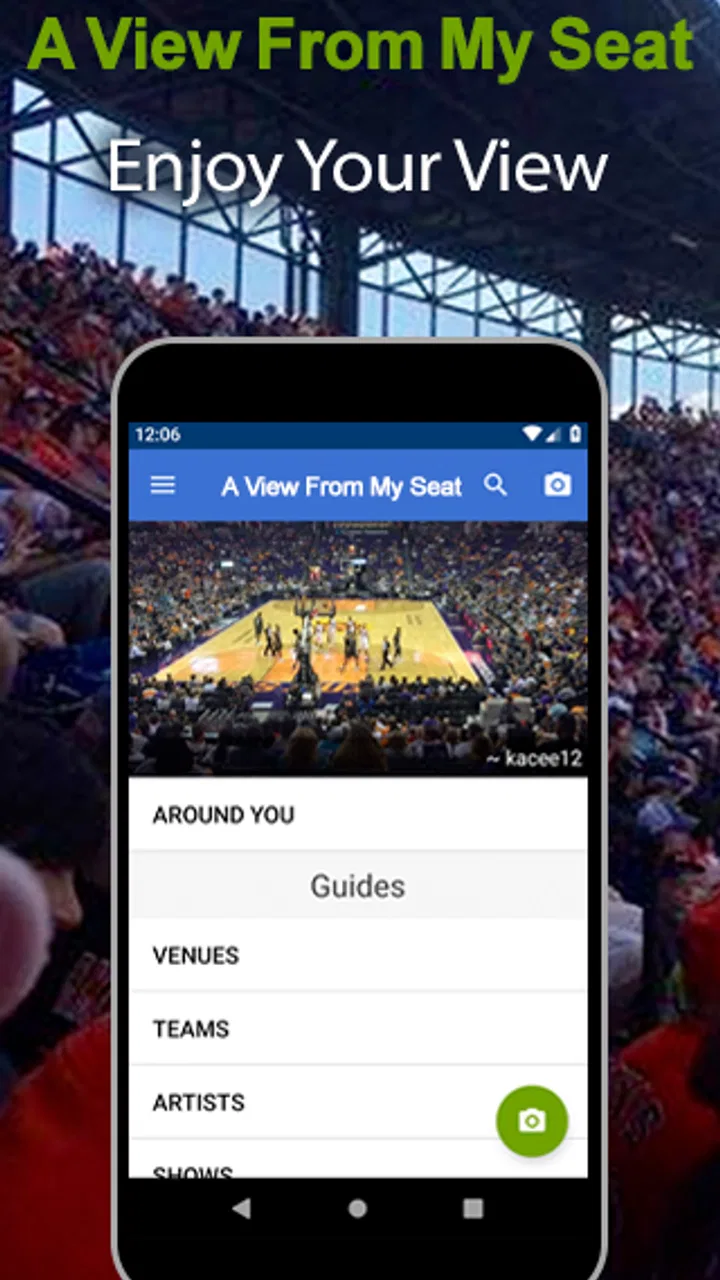
The app is a free Events app from A View From My Seat, and its focus is clear from the first use: helping people see and share viewpoints from sports grounds, concert halls, and theatres. Its age rating is Everyone, so it is approachable for families as well as regular event-goers. The current version is 5.7.4, while the project itself has been available since July 18, 2010, giving it a much longer history than many one-purpose event tools.
My overall impression is positive but specific. The strongest value comes when I am comparing several possible seats and want visual context that a clean venue diagram cannot provide. The experience is less convincing if I expect every venue, section, or row to have equally useful coverage. The community element is both the app's advantage and its main limitation: the quality of the decision depends on how many helpful viewpoints other users have contributed.
You May Also Like

 Blood Strike: 2.5 Anniversary
Blood Strike’s Loadouts Turn Every Drop Into a Tactical Gamble
A close look at Blood Strike’s custom loadouts: how fast access to signature weapons reshapes its battle royale rhythm, rewards preparation, and narrows the gap between fights.

 Pandora - Music & Podcasts
Pandora’s Music Is Easy to Start, but Harder to Recover
Pandora’s strength is its low-effort path from a seed to a station. Its weak spot is how much confidence it asks you to place in connection, setup, and quiet recovery.

 8 Ball Pool
 Is Built on Rivalries, Rematches, and Routine
A close look at the rivalries, rematches, shared routines, and unanswered safety questions that turn a quick pool match into a persistent mobile community.

 Samsung Music
’s Quiet Strength Is Playing What You Already Own
Its reach comes less from spectacle than from dependable access to a personal library. That simplicity is both the app’s strongest retention engine and its ceiling.

 AccuWeather: Weather Radar
AccuWeather Review: A Quick, Clear Forecast for Everyday Decisions
For everyday plans, the best forecast is the one you can understand quickly. AccuWeather makes rain timing, radar, and local conditions easy to act on, with a few trade-offs.

 Hill Climb Racing
Why Hill Climb Racing Still Turns Crashes Into One More Run
A tiny car, a bumpy hill and one more upgrade: Hill Climb Racing keeps resurfacing because its simple chaos makes every near-miss feel personal.
More From Our News Desk



How the app feels when I use it before an event
I use this section to focus on the small decisions that make a pre-event search useful: narrowing the question, comparing nearby viewpoints, and noticing where a photo can help without settling everything. I also consider how much confidence I should place in what other attendees share, which leads naturally to the app’s trust and user-choice considerations.
Quick checks are more useful than long browsing sessions
For a simple question such as “Will this seat feel too far to the side?” the app has a sensible purpose. I can search for a venue or event, inspect available seat photos, and compare what people actually saw. That is a more meaningful check than judging distance from a colored dot on a seating chart. The photos can reveal whether a railing, roof edge, lighting structure, or neighboring section affects the view.
I would not describe the experience as a replacement for the ticket seller's layout. The two tools answer different questions. A ticketing map is better for seeing availability and broad section placement, while this app is better for visual perspective. I prefer using both in sequence: first identify affordable seats on the normal ticket platform, then use the app to investigate the positions that remain under consideration.
In everyday use, that workflow can save a disappointing purchase. Imagine planning a concert with a friend after work. You find two seats at a similar price, one near the side of the stage and another farther back but more centered. A real photo from each area may show that the supposedly closer option has a sharply angled view, while the more distant seats provide a clearer overall picture. The app does not make the choice for me, but it gives the comparison a visual basis.
Speed depends on what I am asking it to find
For occasional lookups, I found the concept naturally lightweight: open the app, search for a venue or event, inspect viewpoints, and leave with a decision. It is not the kind of tool I need running continuously. That matters because its value is concentrated around the planning stage rather than during an entire evening out.
Perceived speed is also tied to the amount of relevant material available. When a venue has useful photos in the section I am checking, the app feels focused because I can make progress quickly. When I need to browse across several areas or look for a very specific row, the process can feel more exploratory. That is not necessarily a performance fault; it is the natural cost of searching a visual collection that grows through user contributions.
My practical tip is to decide what question I want answered before opening it. “Is this side section obstructed?” is a productive question. Randomly browsing an entire arena is more likely to consume time without improving the final choice. I also compare more than one viewpoint when possible, because a single photograph can make a seat look unusually good or bad depending on the event setup and camera position.
Where it helps most during heavy planning
The app becomes more valuable when the decision is complicated by unfamiliar venues. I can recognize the difference between a steep upper tier, a shallow theatre balcony, and a side block near a stage much more easily through photographs than through labels alone. This is particularly useful when buying for another person who has mobility concerns, strong preferences about distance, or a dislike of obstructed angles.
It can also support group planning. If several people are discussing whether to accept seats in different sections, shared viewpoints give everyone a common reference. Rather than arguing from assumptions about what “near the back” means, we can look at the actual perspective and decide whether the trade-off is acceptable. That makes the app useful even when I am not the person purchasing the tickets.
There is a trade-off, though. A photo captures one moment, one lens, and one event arrangement. A concert with a large central production may look different from a smaller show, and a sports event may have changing action across the field or court. I treat the image as evidence of perspective, not a guarantee of the exact view on my chosen night.
Reliability comes from comparison, not blind trust
The app's community model gives it a type of reliability that official diagrams often lack, but it also requires judgment. A photograph can show the real relationship between a seat and the performance area, yet it may not communicate every practical detail. Lighting, zoom, cropping, and the photographer's position can all influence how convincing the image feels.
I therefore look for patterns rather than relying on one upload. If several viewpoints from nearby seats suggest the same angle or obstruction, I take that seriously. If only one image is available, I use it as a clue and keep my expectations modest. This is one of the most important habits for getting value from the app: use repeated viewpoints to identify a pattern, not a single image to promise certainty.
The same approach applies to event types. For theatre, sightlines may be relatively consistent, but stage scenery can still change the practical view. For sports, the action moves, so a seat with a good overall perspective may not be ideal for following one end of the playing area. For concerts, the production design can alter what is visible. The app helps me understand geometry, while the event itself determines how that geometry feels in practice.
Its public reception suggests a useful but not flawless tool. It has an average rating of 3.5 from around 298 ratings, alongside roughly 95 written reviews. I read that as a sign that the idea works for many people but that the experience can vary substantially by venue coverage, search result quality, and personal expectations. The app has passed 100K installs, which gives the community a meaningful base without making me assume that every location is equally well documented.
What I notice on different devices
Because the central material is visual, screen size affects comfort. On a phone, the app is convenient for a quick ticket check while I am commuting or messaging friends, but I need to zoom and inspect photos carefully. A larger display is more comfortable when comparing several viewpoints or reading small venue labels. This is less about raw power than about how much detail I can comfortably see at once.
Older or storage-constrained devices may also make the experience less pleasant when working with many images, although I would not treat that as a reason to avoid the app automatically. The sensible approach is to use it for targeted comparisons instead of loading every available viewpoint. Closing other demanding apps and keeping enough free storage for normal device operation can help any image-based browsing session feel smoother, but I would not expect this tool to transform a low-end phone into a desktop-style browsing experience.
Battery demand is similarly tied to usage. A short search before buying tickets should be a modest task, while extended image browsing, repeated searches, and a bright screen can naturally consume more power. I would check seats before leaving home rather than depending on the app as my only reference once I am already inside a crowded venue with limited battery.
Another device-related consideration is readability. A photo may contain subtle information, such as a narrow stage edge or a distant scoreboard, that is easy to miss on a small screen. If the choice involves expensive tickets or a special occasion, I prefer reviewing the most important viewpoints on a larger screen when possible. The app remains useful on a phone, but the decision deserves enough display space to inspect the evidence properly.
Recovery when a search does not go smoothly
No visual search tool is equally helpful every time, so I judge recovery by whether I can change my approach without abandoning the decision. With this app, I would try a broader venue search, inspect neighboring sections, and compare the available viewpoints rather than repeatedly entering the same narrow query. A nearby seat can often answer the practical question even when the exact row is not represented.
This is also where the app's age and ongoing development matter. It has been around since 2010, and version 5.7.4 shows that it is still maintained as a current product rather than an abandoned archive. That history gives me more confidence in opening it for future event planning, although longevity cannot guarantee that every search will have perfect coverage.
When the app does not provide enough visual context, I move to complementary sources instead of forcing a conclusion. The venue's official accessibility information may be more appropriate for mobility questions, and the ticket seller remains the authority for current seat availability. A View From My Seat is strongest as a visual supplement. Treating it as the sole source for every practical detail would be asking it to do a job it was not designed to handle.
Who will get the most from it
I recommend it most readily to people who attend events in unfamiliar buildings, compare seats carefully, or care about the difference between a centered view and a side angle. It is especially handy for occasional buyers who do not have personal experience with a venue. Instead of learning through an expensive mistake, they can use other attendees' perspectives to narrow the risk.
It is also a good fit for people who enjoy contributing useful information after an event. Sharing a clear view from a seat can help the next person make a better choice, and that contribution improves the app's usefulness over time. The community aspect gives the product a practical purpose beyond personal browsing.
I would be more cautious recommending it to someone who wants a complete ticket marketplace, live event updates, detailed venue accessibility guidance, or guaranteed coverage for a very specific seat. Those needs point toward official venue and ticketing channels. Likewise, if I already know the building well and always choose the same section, the app may offer little benefit beyond curiosity.
My performance verdict after weighing the trade-offs
As a performance-focused experience, I see A View From My Seat as a targeted utility rather than a demanding all-day app. Its best moments are short and purposeful: I search, compare a few real viewpoints, and make a more informed seating decision. The workload becomes heavier when I browse many venues or repeatedly inspect image collections, but that is also when the app is doing its most valuable job.
Stability and recovery matter more here than flashy speed. A brief delay is tolerable if the app helps me avoid a poor seat, while a perfectly quick interface is less useful if the available viewpoint does not match the section I am considering. The strongest workflow is selective: identify candidate seats elsewhere, use the app to test the visual trade-offs, and confirm practical details through official sources.
The free price makes that workflow easy to justify, especially for a single event where I want extra confidence before paying for tickets. I would not install it expecting a universal answer for every arena, theatre, or concert hall. I would install it because real seat photos can reveal things a diagram cannot, and because that information is often worth a few minutes of careful comparison.
After using it in that role, my recommendation is straightforward: A View From My Seat is worth keeping as a visual seat-checking tool, provided I treat community photos as informed guidance rather than a guarantee. It is specific, practical, and most effective when paired with the normal ticketing process. For anyone who has ever wondered whether a cheaper seat is genuinely good value or merely looks good on a map, it offers a useful second opinion without adding a purchase cost.
FAQs for A View From My Seat
01What is 'A View From My Seat' and what does it do?
'A View From My Seat' is a community-driven app that allows users to see photos of the view from seats in various venues, such as sports stadiums and theaters. This helps users choose the best seats for events by providing a visual reference of what they can expect to see from their selected seat.
02How does 'A View From My Seat' gather its photos?
The app relies on user-generated content, meaning that the photos are uploaded by people who have attended events. Users can share images of their seat views, contributing to the app’s extensive database. This community-driven approach ensures a wide variety of perspectives from different venues and events.
03Is 'A View From My Seat' free to use?
Yes, 'A View From My Seat' is free to download and use. The app offers a vast collection of seat views without any charge. However, users should be aware that some features or content may require in-app purchases or a subscription to access additional benefits or remove ads.
04Can I use 'A View From My Seat' without an internet connection?
While you can browse some previously downloaded content offline, an internet connection is generally required to access the full range of features, including uploading photos and viewing new images. The app relies on internet connectivity to update its database and provide the latest user-uploaded images.
05What platforms is 'A View From My Seat' available on?
The app is available for both Android and iOS devices, ensuring compatibility with a wide range of smartphones and tablets. Users can download it from the Google Play Store for Android devices or the App Store for iOS devices, making it accessible to a large audience.
Pros
- User-friendly interface for quick navigation
- Detailed seat views enhance event experience
- Community-driven reviews add authenticity
- Supports a wide range of venues globally
- Frequent updates keep data accurate
Cons
- Limited seat reviews for smaller venues
- In-app ads can be intrusive
- Occasional bugs in seat view display
- Requires internet for most features
- Some features locked behind paywall

A View From My Seat
Gallery